
Introduction
Recently, I had an interview for a position that required deep expertise in both infrastructure and services, with a particular focus on Microsoft 365 (M365). This opportunity led me to reflect on my professional journey, which began as a Network Administrator working extensively with Microsoft services, starting from Server 2003, through 2008 and 2012. Over the years, my focus has shifted towards infrastructure, specializing in network and security engineering. However, this interview prompted me to re-examine the evolution of Microsoft services and compare the modern cloud-based M365 with the legacy on-premise services I was accustomed to.
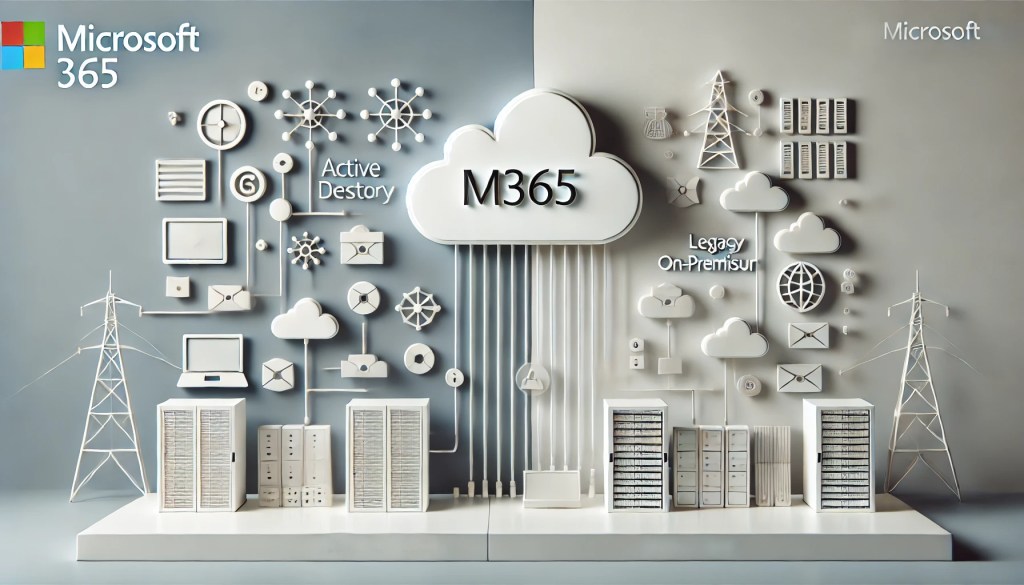
In this article, I will share my insights on the key differences between these two paradigms, highlighting how Microsoft services have developed and the implications for organizations today.
1. Deployment and Maintenance
- M365: With Microsoft 365, deployment is straightforward, requiring minimal hardware and infrastructure. Updates and maintenance are managed by Microsoft, ensuring you always have the latest features and security patches without additional effort. The need for physical server rooms and complex configurations is significantly reduced.
- Legacy On-Premise Services: Setting up and maintaining services like Active Directory and Exchange on-premise requires substantial investment in servers, storage, and networking hardware. IT teams must handle updates, patches, and backups internally, which can be resource-intensive and prone to human error.
2. Scalability
- M365: Scalability is one of M365’s strongest features. As a cloud-based solution, it can easily scale with your organization, accommodating users and services as needed without the constraints of physical hardware. Whether you’re expanding your workforce or deploying new services, M365 can adapt with just a few clicks.
- Legacy On-Premise Services: Scaling an on-premise environment often requires additional hardware, which can be costly and time-consuming. For example, expanding an on-premise Exchange Server environment means procuring and configuring new servers, ensuring there’s adequate storage, and managing network load balancing.
3. Accessibility and Remote Work
- M365: Microsoft 365 is designed with modern, flexible work environments in mind, offering seamless remote access to email, files, and collaboration tools from any device, anywhere. With integrated services like OneDrive and SharePoint, users can securely access and share documents from virtually anywhere, enhancing productivity for remote teams.
- Legacy On-Premise Services: Traditional on-premise solutions, such as Exchange and file servers, typically require VPNs or other remote access solutions to provide similar levels of access. These can be cumbersome and often result in a less fluid user experience compared to cloud-based services. Additionally, managing remote access securely for a large number of users can be complex and demanding on IT resources.
4. Security and Compliance
- M365: Security is a top priority in M365, with built-in compliance tools and advanced threat protection features. Microsoft continuously invests in security, offering features like Conditional Access, Data Loss Prevention (DLP), Information Protection, and threat analytics to safeguard your data. Compliance with industry regulations is simplified with M365’s comprehensive compliance framework and audit capabilities.
- Legacy On-Premise Services: While on-premise AD and Exchange can be secured, achieving the same level of protection as M365 often requires significant customization, regular updates, and a dedicated IT security team. Compliance with regulations may require additional tools and manual processes, making it more complex to manage.
5. Cost Considerations
- M365: Microsoft 365 operates on a subscription-based model, which can simplify budgeting by turning capital expenses into operational expenses. The overall cost can be lower when considering the reduction in hardware, maintenance, and energy costs. Organizations can also benefit from predictable monthly expenses that include software updates and new features.
- Legacy On-Premise Services: The initial investment in servers, storage, and network infrastructure can be substantial. Ongoing costs include hardware refreshes, energy consumption, and IT staff to manage the environment. For some organizations, these are seen as fixed costs and part of long-term investment in infrastructure, but they can add up significantly over time.
6. Integration and Ecosystem
- M365: Microsoft 365 seamlessly integrates with a wide range of Microsoft services, including Azure AD, Teams, SharePoint, Exchange Online, and more. This unified ecosystem offers a more connected and streamlined experience for users and administrators alike, with centralized management through the M365 admin center.
- Legacy On-Premise Services: Integration with other services, particularly cloud-based ones, can be more challenging and often requires additional tools or third-party solutions. For example, integrating an on-premise Exchange Server with cloud services like SharePoint or Teams can be complex and may not offer the same seamless experience as the integrated M365 environment.
7. Email and Collaboration
- M365: Exchange Online, part of Microsoft 365, provides robust email, calendaring, and contact management services that are always up to date. It’s integrated with other M365 tools like Teams and SharePoint, facilitating communication and collaboration across the organization. Users benefit from advanced features like Focused Inbox, data encryption, and automatic email archiving, all without the need for on-premise hardware.
- Legacy On-Premise Services: On-premise Exchange Servers require dedicated hardware, and managing them involves configuring and maintaining databases, mailboxes, and backups. While powerful, on-premise Exchange can be complex to manage, especially for smaller IT teams, and lacks the automatic updates and scalability of Exchange Online.
8. Backup and Disaster Recovery
- M365: Microsoft 365 includes built-in backup and disaster recovery capabilities. Data is automatically replicated across multiple data centers, ensuring high availability and quick recovery in case of an outage. Microsoft handles these processes transparently, freeing up IT resources to focus on other tasks.
- Legacy On-Premise Services: Backup and disaster recovery for on-premise services require careful planning and management. Organizations need to establish their own backup routines, disaster recovery plans, and off-site storage solutions. Implementing high availability for services like AD and Exchange can involve significant additional cost and complexity.
Conclusion
Both Microsoft 365 and legacy on-premise Windows services like Active Directory and Exchange have their place in today’s IT environments. M365 is ideal for organizations looking for scalability, reduced maintenance, and enhanced remote work capabilities. On the other hand, on-premise services remain valuable for businesses that need full control over their infrastructure, have specific security or compliance requirements, or prefer a capital expenditure (CAPEX) over an operational expenditure (OPEX) model.
Ultimately, the choice between M365 and on-premise services should align with your organization’s goals, budget, and IT strategy. As the IT landscape continues to evolve, hybrid solutions that combine the best of both worlds may also be worth considering.
 Network Solutions You can Trust
Leave a comment